
How to Start an OnlyFans (And Actually Make Money)
OFExplorer Team
Published: Jul 13, 2026 • 9 min read
I remember exactly how terrifying it was the first time I helped a friend set up her creator account. She was staring at the ID verification screen, utterly convinced she was about to make a massive mistake.
Here is the truth: setting up the account is incredibly easy. But getting approved on your first try without getting your ID rejected? That takes a little bit of insider knowledge.
If you are finally ready to take the leap and make an OnlyFans account, you are in the right place. In this guide, I am going to walk you through the entire process, step-by-step. By the end of this page, you will know exactly what you need to start an OnlyFans, how to get verified fast, and how to link your bank account so you can actually get paid.
What Do You Need to Start an OnlyFans?
Before you even click "Sign Up," let’s save you a headache. The platform is notoriously strict with its security. To successfully set up OnlyFans today, you must have these three things physically sitting on the desk in front of you:
- A valid Government ID: A passport or driver's license. (School IDs or expired IDs will get you instantly rejected).
- Your smartphone: You will need the camera to take a live selfie holding your ID.
- Your bank account details: Including your routing number or SWIFT code to link for payouts.
"Do not try to bypass the ID verification with fake details or a VPN. Their facial recognition software in 2026 is military-grade. If you fail too many times, your email will be permanently blacklisted."
- Account Setup Expert
Step 1: Create the Base Account
First, head over to the official OnlyFans homepage. You have three ways to register:
- Sign up with X (Twitter).
- Sign up with a Google Account.
- Sign up using an email address and password.
My recommendation? Use a brand new, dedicated email address. Do not use the personal email you use for your banking or family. Keep your creator business completely separate from your personal life right from day one.
Step 2: The ID Verification Process (Don't Mess This Up)
Once your email is confirmed, you cannot actually set a subscription price or post content until you pass the ID verification process. This is where 80% of new creators get stuck.
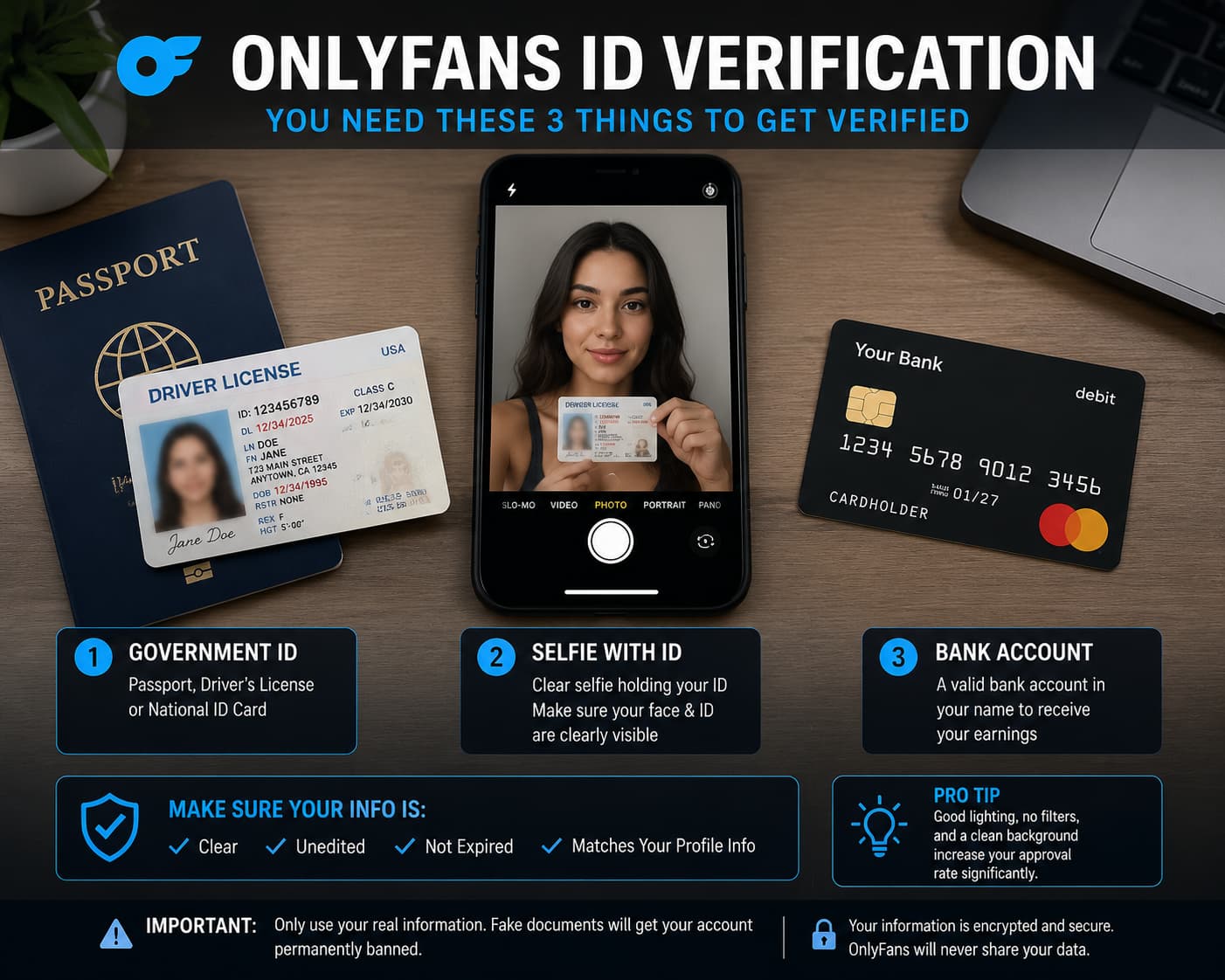
Here is how to beat the system and get approved on your first try:
- Click on "Add Bank (Earn)" in your profile menu. This triggers the verification loop.
- Fill in your legal name, address, and date of birth exactly as they appear on your ID.
- Upload a clear, well-lit photo of the front and back of your ID.
- Take a live selfie holding the ID next to your face. Make sure the text on the ID is perfectly readable.
How long does OnlyFans take to approve your account? If your photos are crystal clear, the automated system usually approves you within 24 to 48 hours. If you use blurry photos or bad lighting, a human will have to review it, which can delay you by a full week.
Step 3: Bank Account Setup and Tax Forms
You are verified. Congratulations! Now, let’s make sure you can actually collect your money.
Go back to the "Add Bank (Earn)" section. Depending on your country, you will need to fill out tax information. If you are in the US, you will digitally sign a W-9 form. If you are outside the US, you will sign a W-8BEN form. Do not panic; the platform walks you through this digitally.
Next, you will choose your payout method. Most creators link a direct bank account via routing number, but you can also use services like Skrill or Paxum depending on where you live in the world.
Step 4: The Crucial Profile Setup
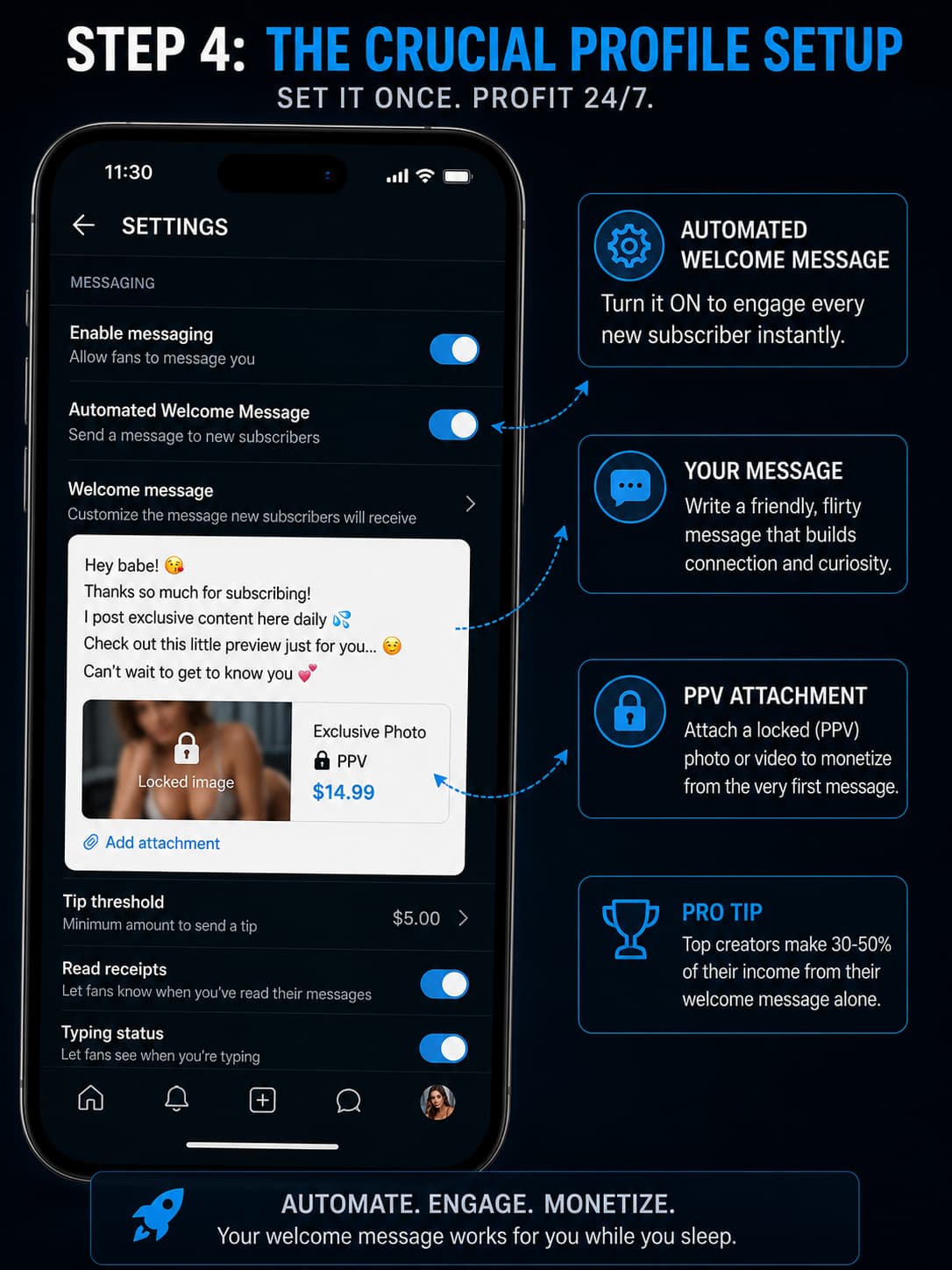
Your account is live and ready to take payments. But if your profile looks like a ghost town, nobody is going to hand over their credit card. Before you promote your link anywhere, optimize these three things:
- Your Subscription Price: I recommend starting low. Set your price between $4.99 and $9.99 to reduce the barrier to entry while you build a catalog of content.
- The Automated Welcome Message: This is a goldmine. Go to Settings > Chats > Automated Welcome Message. Set it up so that the second someone subscribes, they get a friendly DM from you. (Bonus tip: Attach a locked PPV photo to this welcome message for instant upsells).
- Upload Your First 5 Posts: Never send traffic to an empty page. Post at least 5 high-quality photos or videos so your first subscribers feel like they got their money's worth immediately.
Strategic Mistakes to Avoid in 2026
Setting up the technical account is only half the battle. Many creators verify their accounts successfully but fail within weeks because they make these common 2026 mistakes:
- The "Create and Wait" Trap: OnlyFans has zero internal discovery features in 2026. If you do not actively funnel traffic from external social media (like Reddit, X, or TikTok), you will get zero subscribers. Period.
- Lack of Niche: The market is saturated. Trying to be a generic creator rarely works anymore. You must define a highly specific niche (e.g., fitness, a specific fashion style, or a unique personality trait).
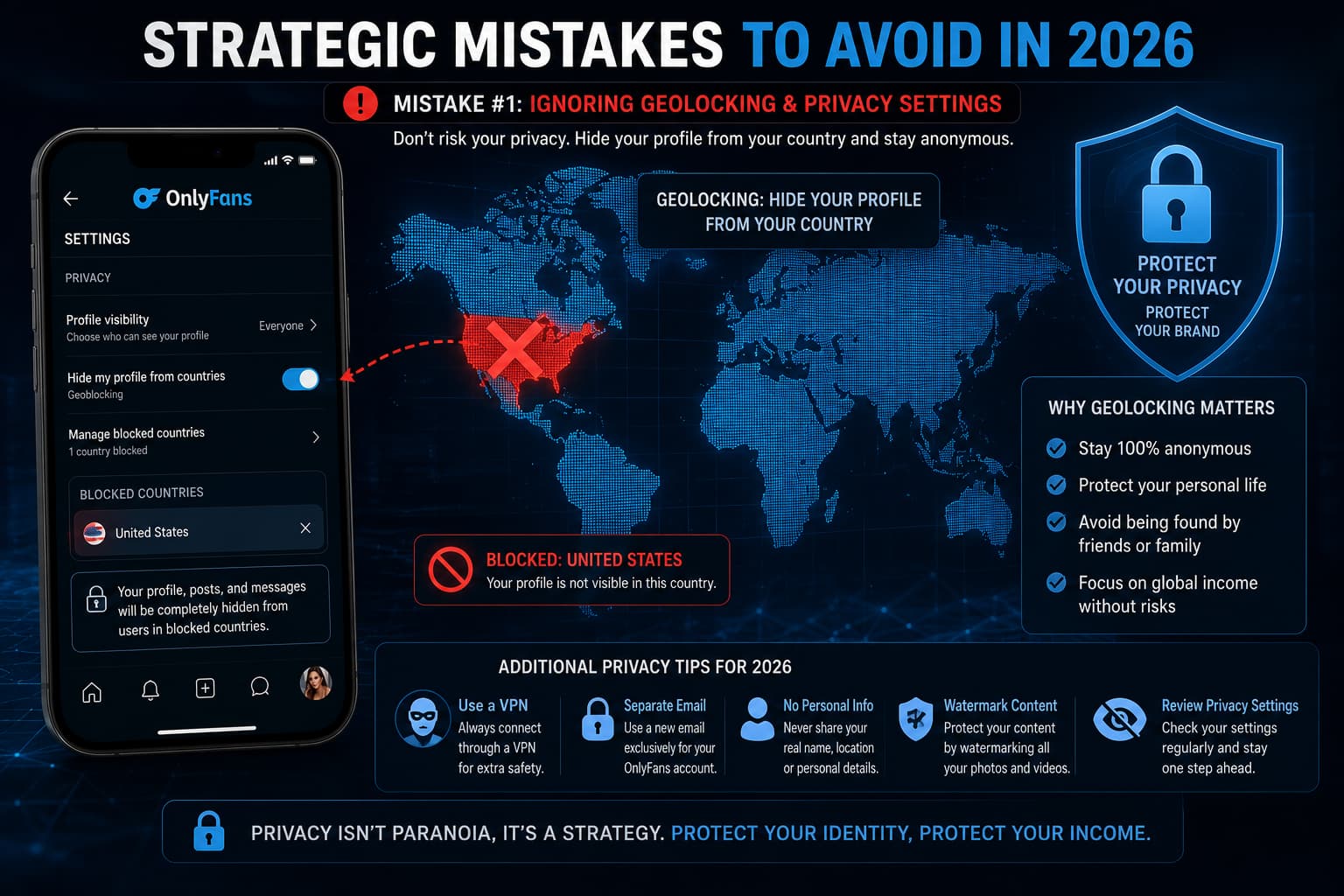
- Ignoring Security: The moment your account is live, go to Settings and turn on Watermarking for all your photos and videos. Additionally, use the Geoblocking feature to block your home country or state if you want to remain anonymous to people you know in real life.
Frequently Asked Questions
Is it free to start an OnlyFans?
Yes, creating the account and hosting your content is 100% free. The platform only makes money when you make money, by taking a 20% cut of your earnings. You will never be asked to pay an upfront fee.
How to start an OnlyFans without followers?
It is entirely possible, but you have to become a marketing machine. You will need to rely heavily on TikTok, Reddit, and X (Twitter) to funnel anonymous traffic to your page. We will cover this extensively in our upcoming marketing guides.
How to start an OnlyFans without showing your face?
Yes, it is possible. You absolutely must give your real legal name and ID to the platform so they can pay taxes and verify your age. However, you can use a fake stage name on your public profile, block specific countries (like your home country) from seeing your page, and run a "faceless" account where you never show your face in the content.
Starting an OnlyFans as a guy
It's a huge misconception that only women succeed here. Starting an OnlyFans as a guy is incredibly lucrative, especially if you focus on fitness coaching, comedy, couples content, or niche adult categories. The setup process is exactly the same.
You are now officially a creator. The technical setup is out of the way. Now comes the fun part: getting people to actually find your page. Stay tuned for our next guide on How to Get Verified on OnlyFans (Fast Approval Tips), where we dive even deeper into securing your digital business.