
How to Delete OnlyFans Account (Permanent Removal)
OFExplorer Team
Published: Jul 13, 2026 • 5 min read
If you have decided that you are done with the platform and want to completely erase your presence, you are in the right place. Searching for how to delete onlyfans account is incredibly common, whether you are a creator who wants to move on or a subscriber who wants to cancel everything at once.
Deleting your account is permanent and cannot be undone. In this guide, we will show you exactly how to wipe your profile from the internet using your phone or your computer.
How to Delete an OnlyFans Account on iPhone / Android
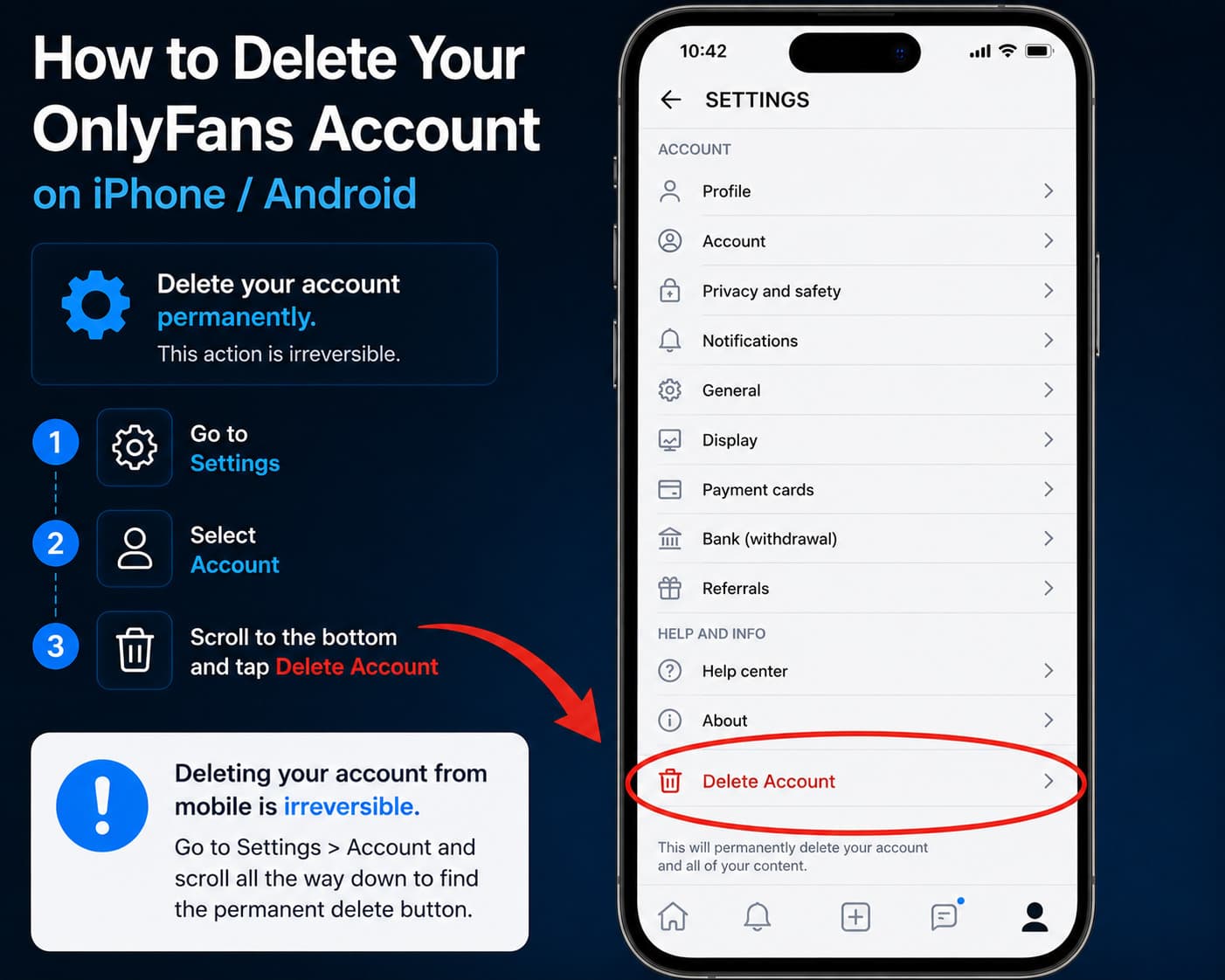
Most users access the platform via their smartphones. If you are wondering how to delete an onlyfans account directly from your mobile browser (since there is no official native app), the process is straightforward:
- Open Safari (iPhone) or Chrome (Android) and log into your OnlyFans account.
- Tap on your Profile icon in the bottom right corner of the screen.
- Select Settings from the menu.
- Tap on Account (usually the first option).
- Scroll all the way down to the bottom of the page.
- Tap the red Delete Account button.
- You will be asked to enter a verification code (sent to your email or via an authenticator app) to confirm the deletion. Enter it and confirm.
Your account is now permanently scheduled for deletion.
How to Delete Your OnlyFans Account on PC / Desktop
If you prefer using a desktop or laptop, the steps for how to delete your onlyfans account are very similar, but the layout is slightly different.
- Go to OnlyFans.com and log in.
- Click on More in the left-hand sidebar menu.
- Click on Settings, then navigate to Account.
- Scroll to the very bottom of the Account settings page.
- Click on Delete Account.
- A pop-up will appear warning you that this action is permanent. Enter your password or the required verification code.
- Click the final confirmation button.
What Happens When You Delete My OnlyFans Account?
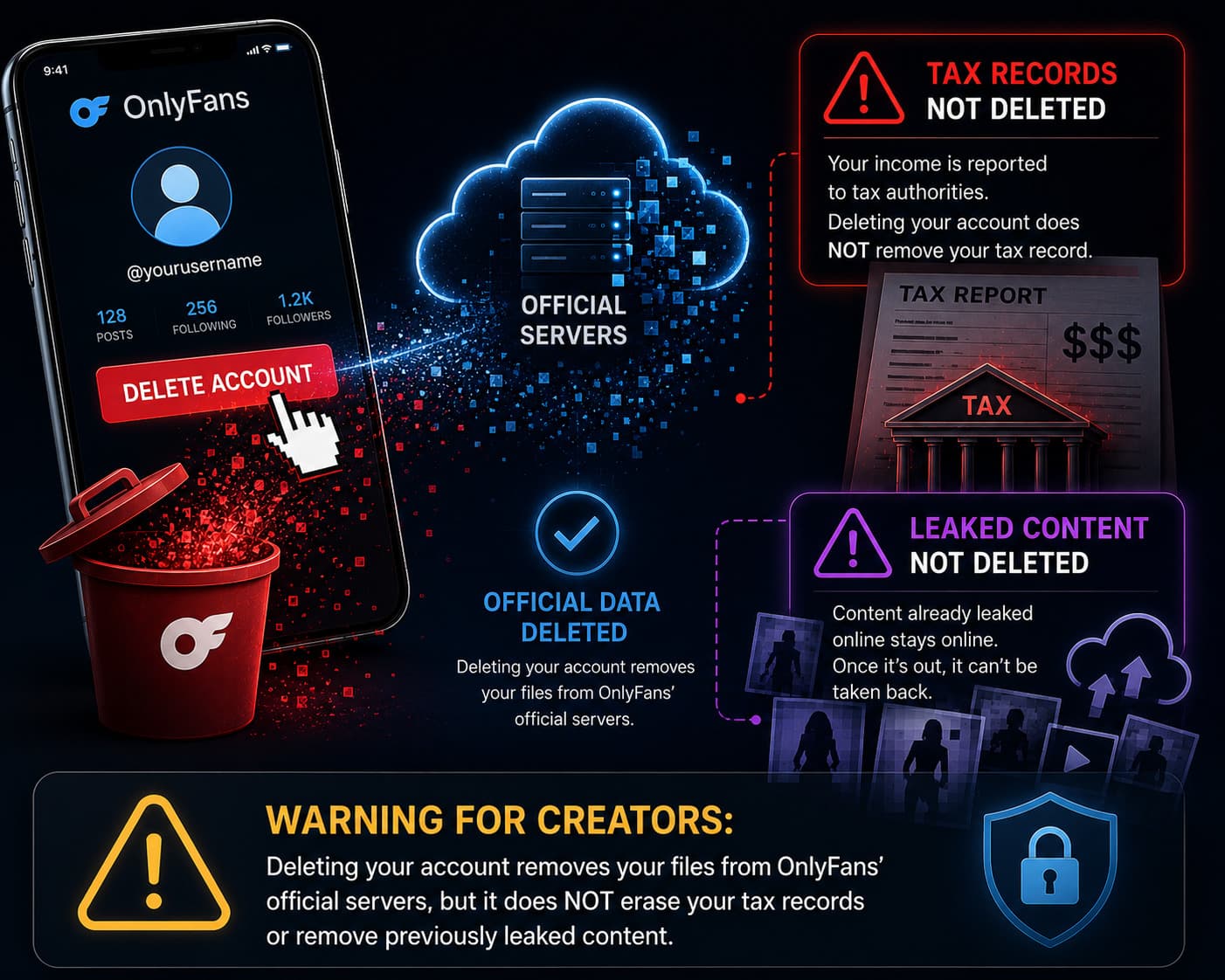
Before you hit that red button, it is crucial to understand what actually happens to your data and subscriptions when you delete your account.
- For Subscribers: How to delete my onlyfans account safely means ensuring you are not billed again. When you delete your account, all your active subscriptions are immediately canceled. You will lose access to any content you previously paid for, including PPV messages. You do not get a refund for the remaining days of your active subscriptions.
- For Creators (The Delay): Your profile will immediately disappear from public view. However, your account will not be fully deleted until your last active subscriber's cycle ends and all pending payouts clear.
- The 2026 Tax Trail: Do not delete your account thinking you can avoid taxes. In 2026, platforms automatically report earnings to tax authorities. Deleting your account does not erase your financial history with the government. Always download your 1099 or tax statements before deleting.
- The Content Leak Reality: Deleting your account removes the media from OnlyFans servers, but it does not erase it from the internet. Any content that was screenshotted, recorded, or leaked to third-party forums will remain online permanently.
- Deactivation vs. Deletion: If you are just overwhelmed, you can choose to "Deactivate" instead. Deactivation hides your profile but saves your content and subscriber list, allowing you to return later. Deletion is irreversible.
How to Find Deleted OnlyFans Accounts
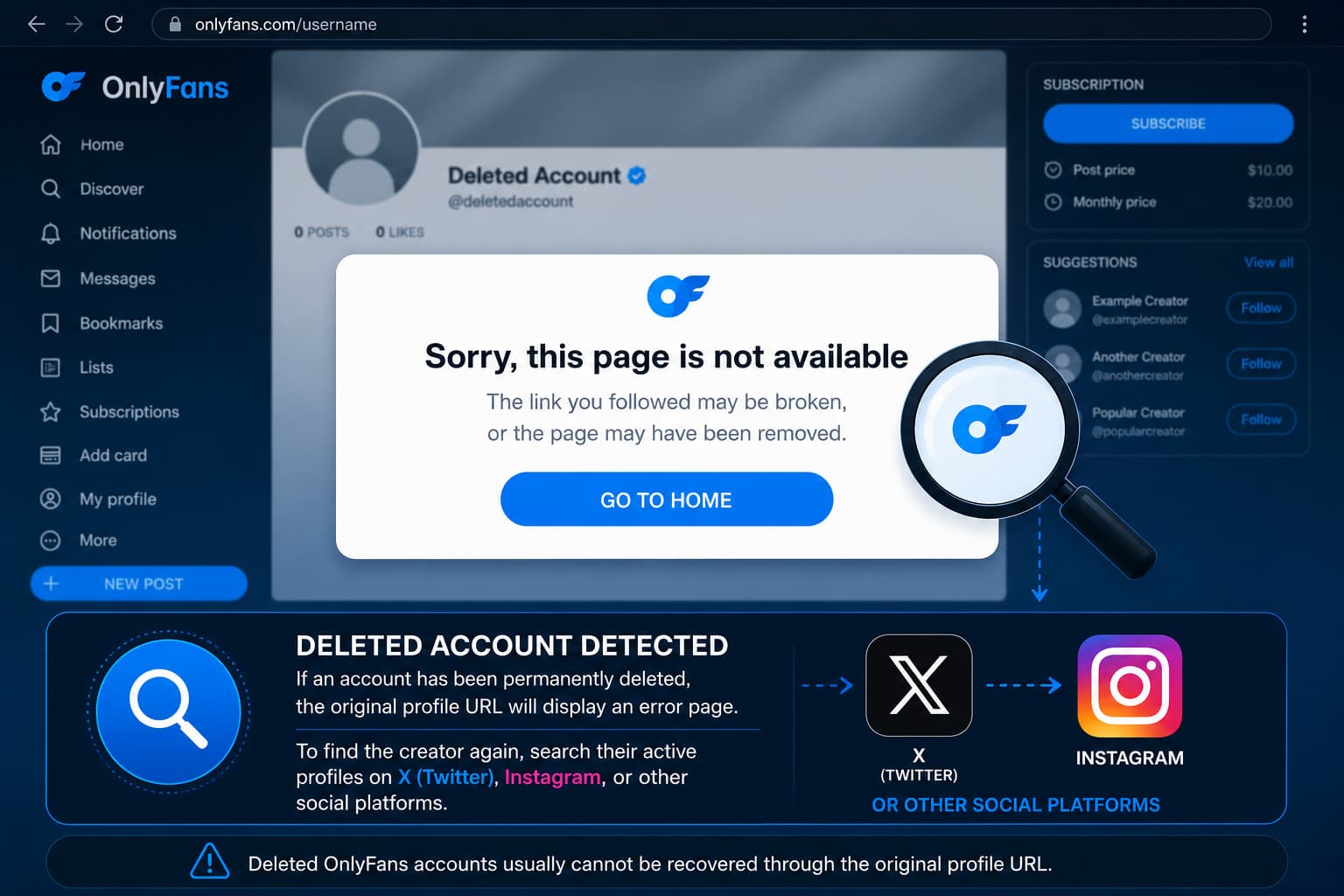
Sometimes users change their minds, or you might be trying to locate a creator who suddenly vanished. Many people search for how to find deleted onlyfans accounts, but the reality is strict.
Once an account is fully deleted by the user or banned by the platform, the profile link will show a "Sorry, this page is not available" error.
Is there a way to recover or find them?
- You cannot restore a deleted account. If you deleted your own account, you must create a brand new one with a new username.
- Social Media tracking: If a creator deleted their account, they often announce their new platforms (like Fansly or a new OnlyFans page) on their X (Twitter) or Instagram. Searching their specific username on X is the most effective way to find where a deleted creator moved.
- Web Archives: While the Wayback Machine rarely captures locked OnlyFans profiles, it might show the bio of the creator before the account was deleted.
Now that your account is successfully deleted, you can rest assured that your subscriptions are canceled and your profile is off the grid.